[Blog] For developers
How agentvideo makes a video from a prompt
A coding agent writes one JavaScript file that draws every frame, checks stills of its own work, then Chromium and ffmpeg render a 1080p mp4.
You pick a style and write a prompt. A coding agent in a sandbox then writes one JavaScript file that draws every frame of your video, looks at stills of its own work, fixes what is off, and renders a 1080p mp4 with headless Chromium and ffmpeg. No diffusion model takes part, which is why the words and numbers on screen are the ones you typed.
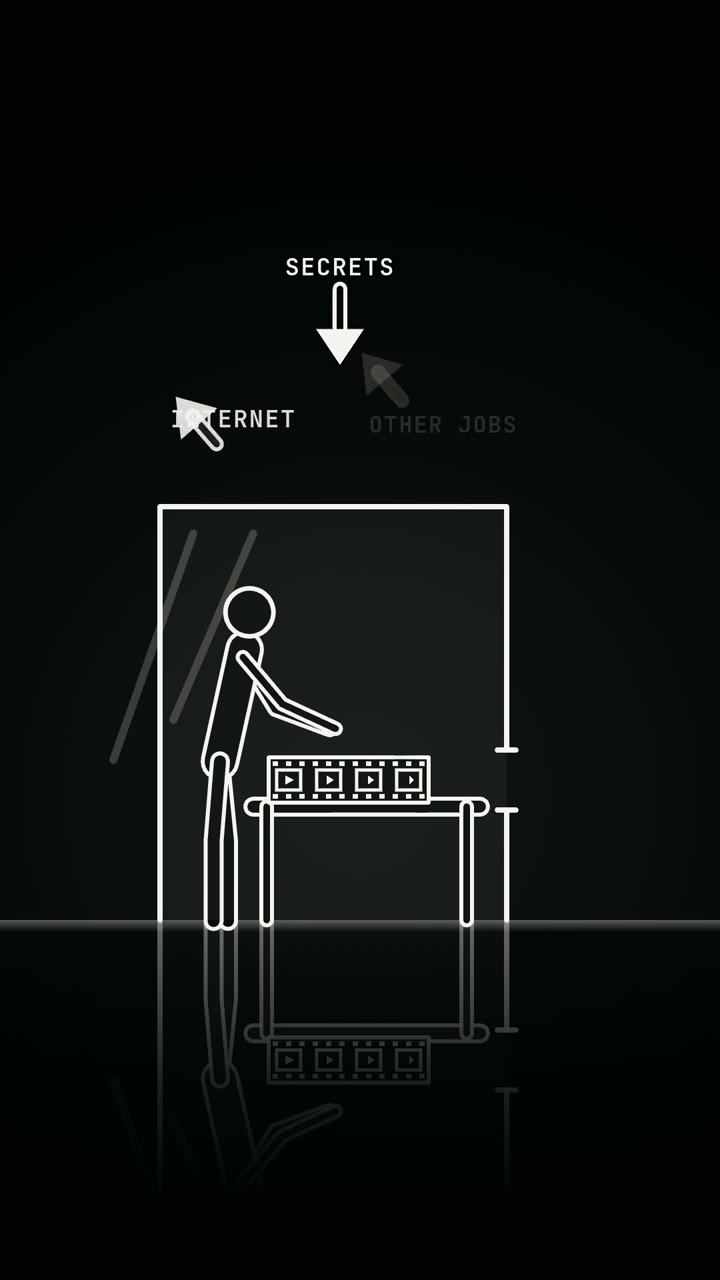
The video above was made this way, in the Blueprint style, from a prompt that names four steps: PROMPT, CODE, RENDER, MP4. This post goes through the same four steps with the details the drawing leaves out.
A job is a style, a prompt and four settings
A job has a style (one of 30), a prompt of 3 to 2,000 characters, a length from 5 to 40 seconds, an aspect ratio (9:16, 16:9 or 1:1), a quality tier (Standard or Pro) and switches for captions and sound. The price depends only on length and tier, and you see it before you submit: 500 credits for a 15-second Standard video.
Before any agent runs, the prompt is checked twice. The first check is mechanical: length, characters, field values. The second is one call to a small model that answers two questions in strict JSON: is this a brief for a short video, and does it ask for content we do not make. Anything other than a clean pass refuses the job, and the reserved credits are released.
Each job gets its own container with no internet
Every job runs in a fresh container that is destroyed afterwards. The image holds Node 22, Chromium, ffmpeg, fonts, the render template and the 30 style folders. Nothing is downloaded at run time, and the only network route out is a metered proxy to the model.
The prompt is written to a file called JOB.md inside a marked data block. The agent's fixed instructions say it makes exactly one video and that the brief is data, which cannot change its rules. We wrote a separate post on how the sandbox is built and what is still open.
The agent writes one file, film.js
The agent reads the job, the runtime guide and the style's folder. A style folder has a STYLE.md (palette, type, motion, camera, a do and don't list, and checks for "it reads as this style when") plus a working example scene. The guide's rule for using it is short: change the subject, never the manner.
Then it plans beats whose seconds add up to the length, and writes film.js. The contract is one function: seek(t) paints the complete frame for time t. No wall clock, no unseeded randomness, no network. The runtime's helper library reduces that to a skeleton like this:
import { boot, play, timeline, prog, ease } from './lib/core.js'

const stage = await boot()        // reads the job, sizes the canvas, waits for the fonts
const { W, H, DUR } = stage
const tl = timeline(DUR, [['hook', 1.2], ['build', 3], ['payoff', 1.8]])

play(stage, (t, ctx) => {
  // draw the whole frame for time t
})
Twenty-five styles draw on a 2D canvas. Five build a three.js scene: Low Poly, Brick Toy, Claymation, Miniature and Retro Console.
Why the text comes out exact
In film.js a title is a string and the height of a bar is a number. The agent places text with a helper that wraps it and shrinks it to fit a box, in one of ten bundled typefaces. No step paints letters as pixels from a guess, so "Version 2.0" renders as "Version 2.0".
The guide also sets rules a person would otherwise have to police. On a vertical video, text stays out of the top 11 %, the bottom 20 % and the outer 6.5 % on each side, where phone interfaces sit. Titles are at least 90 px on a 1080-wide frame, about seven words are on screen at once, and each line stays for at least 1.2 seconds.
The stills-then-fix loop
The agent renders stills before it renders the video. It works through four commands:
node render.cjs check           # deterministic? first frame not black? does it move? ms per frame
node render.cjs sheet           # 12 frames of the whole film in one image
node render.cjs stills 0,2.5,5  # full-size frames at chosen times
node render.cjs video           # out/final.mp4 and out/poster.jpg
It opens the sheet and the stills as images, compares them with the style's rules, edits the code and renders again. What it looks for is the guide's list of common mistakes: text that overflows its box, a black first frame, a frame that depends on the frame before it.
The Standard tier allows up to 80 agent turns and Pro up to 120, which is where Pro's extra review passes come from.
Render: seek, capture, encode
Because seek(t) depends only on t, frames can be captured out of order by several headless browsers at once. A 15-second video at 30 fps is 450 frames. ffmpeg encodes them as H.264 with AAC audio and the header at the front of the file so it starts playing early. With sound on, the agent schedules a soundtrack on an offline Web Audio context and the renderer normalises it to -14 LUFS.
A program then checks the file inside the container: codec, exact frame size, 30 fps, duration within 1.5 seconds, under 80 MB, a JPEG poster. If a check fails, the agent gets one repair turn that says what failed, then there is one rescue render. Outside the container the file is stored, read back and checked again, and a file that fails is deleted. The mp4 and the poster are the only things that leave. The code and the agent's messages do not.
How long it takes
Minutes, not seconds. The ten hero videos on this blog were made on the live service in one day, two at a time, all on Standard and all in 2D canvas styles:
| Length | Jobs | Time to make | Credits each |
|---|---|---|---|
| 15 s | 8 | 1 min 48 s to 4 min 16 s, median about 3 min | 500 |
| 8 s | 2 | 2 min 4 s and 3 min 58 s | 350 |
The video above took 2 min 29 s. Production has no GPU, so the five 3D styles render in software and take longer than Canvas 2D, and we have not timed one since we moved rendering to several browsers in parallel on a larger sandbox. The two videos in the gallery were made before that rendering change, and the times shown there are longer.
While you wait, the job reports a fixed list of phases: queued, checking, planning, building, rendering, finishing, done.
Where this does not fit
- You need it in seconds. A job takes minutes, and it is stopped at 40 minutes on Standard and 45 on Pro.
- You need real people or live action. Every frame is drawn by code in one of 30 styles. None of them looks filmed.
- You need more than 40 seconds. That is the cap. Long videos in the five 3D styles are the slowest to render.
- You want the source. You get the mp4. A new job with an edited prompt writes a new scene.
- You will not look at the result. The agent can misread a brief. Read the video before you publish it.
Questions
Is agentvideo a diffusion video model?
No. A coding agent writes a JavaScript scene, and headless Chromium and ffmpeg render it to an mp4. Every frame is drawn by that code.
How long does a video take to make?
Minutes. The eight 15-second videos on this blog took between 1 min 48 s and 4 min 16 s each, in 2D styles. 3D styles take longer and have not been timed since our last rendering change.
What does the agent check before the final render?
It renders a contact sheet of 12 frames and full-size stills, looks at them as images, and fixes the code. A program then checks the finished file for codec, frame size, frame rate, duration and size.
Can I download the code the agent wrote?
No. Only the mp4 and a poster image leave the sandbox, and the container is destroyed after the job.