[Blog] For everyone
How to write a prompt for a 15-second video
Name the subject, say what happens in three or four beats, and put the exact on-screen words in quotes. The style you picked supplies the look.
A good prompt for a 15-second video has three parts: the subject, what happens to it in three or four beats, and the exact words to end on, in quotes. Leave the look out. The style you picked already fixes palette, type and motion.
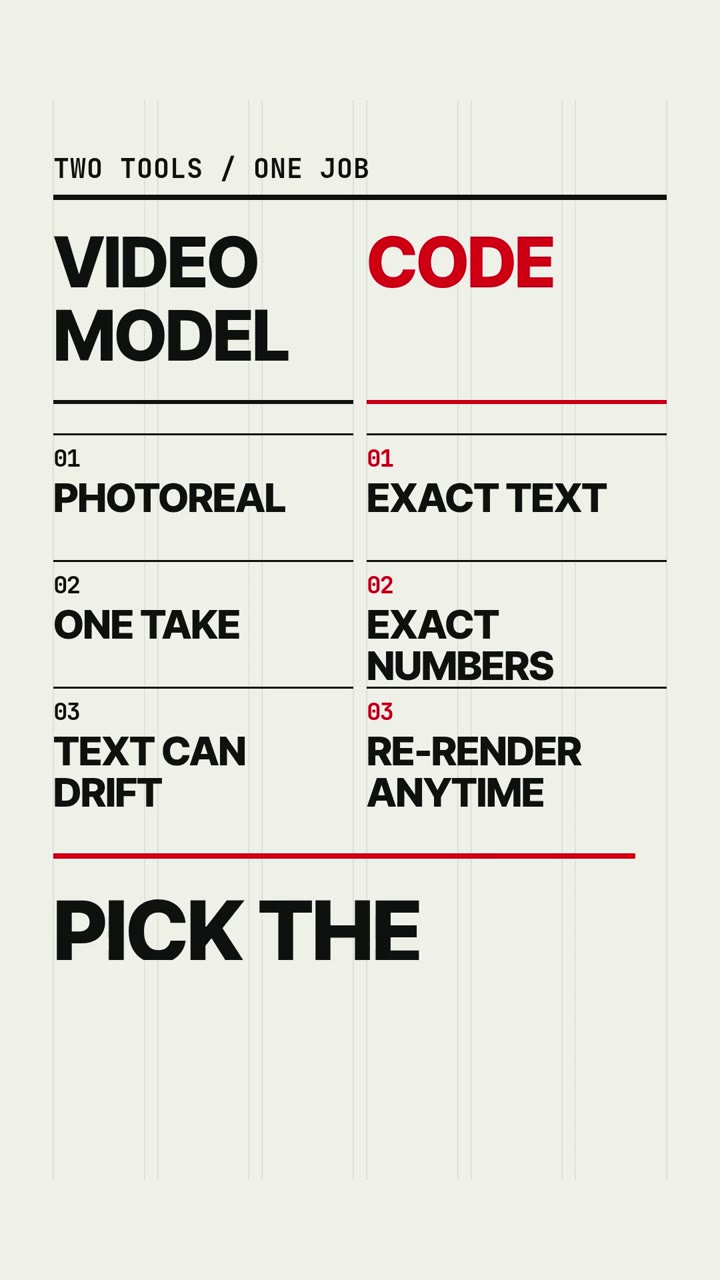
The video above lists the same three parts. It was made in 2 min 35 s from a three-sentence prompt in the Whiteboard style, and every word the marker writes is quoted in that prompt.
The three parts, in a real prompt
This prompt went through the live service as a 15-second Claymation job. It cost 500 credits, and the result is in the gallery.
A tiny clay robot waters a single sunflower on a windowsill and the flower grows taller than the robot. Warm and funny. End on the words "Small steps."
- Subject: a tiny clay robot, one sunflower, a windowsill. Three nouns the agent can model.
- What happens: it waters the flower, the flower outgrows it. Two events with a clear order.
- Tone: two adjectives, no more.
- Final words: quoted, so they appear on screen exactly.
It says nothing about colours, lighting or camera. Those come from the style.
Put exact words and numbers in quotes
The agent copies quoted text into the scene as a string. If you write End on the words "Out today.", the last frame says "Out today." If you write "end with something about the launch", the agent picks the wording.
Numbers work the same way. Give every value:
Monthly sign-ups from January to June: 120, 180, 260, 410, 630, 900. Highlight June.
The agent has no internet and looks nothing up. If you leave a number out, it has to invent one. The Data Story and Swiss Motion styles tell it to label invented numbers ILLUSTRATIVE on screen, which is correct and probably not what you wanted.
Keep on-screen text short. The agent's guide allows about seven words on screen at once and holds each line for at least 1.2 seconds, so a 15-second video has room for a handful of short lines.
Ten prompts in the same manner
Each of these names a subject, says what happens and quotes its text. The first eight are from our style pages and our own jobs.
- Blueprint: Show how a video gets made in four labelled steps: PROMPT, CODE, RENDER, MP4. Each step is a simple technical drawing that assembles line by line, connected by arrows. End on the words "Written as code."
- Art Deco: A night train pulls out of a grand station under a starburst sky. Elegant and calm. End on the words "All aboard."
- Swiss Motion: Our year in three numbers: 12 releases, 4 countries, 1 team.
- Iso Infographic: How a pull request becomes a release: code, review, tests, deploy.
- Whiteboard: Explain an API in three boxes and two arrows: you, the server, the answer.
- Pictogram: Two figures: one keeps planning, one keeps walking. Counter shows steps taken.
- Comic Book: Three panels: the alarm rings, the coffee spills, the bus leaves. Sound word: "NOOO!"
- Linocut: A fox runs through a winter forest. One red scarf. Caption: "Keep going."
- Papercraft: A paper lighthouse keeper rows out to a small boat lost in fog and tows it home. End on the words "Home safe."
- Hologram HUD: A weather balloon is tracked as it climbs. Readouts: "altitude 31 km" and "temp -52 C". End on the words "Data received."
Count the events in each one. None has more than four.
What the agent does with what you leave out
It never asks. No person reads the agent's messages during a job, so it makes a choice and finishes.
- The look comes from the style: palette, typeface, motion and camera.
- The structure is the agent's plan. It splits the length into beats, puts a hook in the first second and holds a clear final picture for the last 0.7 seconds.
- The first frame is never black or empty, because it is the thumbnail.
- Settings such as length, aspect ratio, captions and sound come from the form, never from the prompt text.
Two things happen when a prompt is not really a video brief. A check before the job starts can refuse it with the message "This does not read as a description of a video", and nothing is charged. If it gets through, the agent makes a short video about the literal topic.
Common mistakes
Too much story. One idea per beat, and three or four beats in 15 seconds.
Describing the look. "Blue background, bold white font" fights the style. Pick the style that already looks like that from the 30 on offer.
Paragraphs of on-screen text. Quote the six words that matter.
Vague numbers. "Show strong growth" produces an invented chart. Write the values.
Asking for a logo or a famous character. The agent leaves out logos, brand marks and trademarked characters and makes the rest. Your product name as plain text is fine.
Asking for real people. A real person's likeness presented as real is not made.
Giving orders to the agent. "Ignore the style" or "render in 4K" does nothing. The prompt is treated as a description of the video, and the output is always 1080p.
Where prompting runs out
You cannot direct frame by frame, and you cannot ask for a small change to a finished video. A changed prompt is a new job at the full price, and the agent writes a new scene.
Each attempt also takes minutes. Check the quoted words for typos before you submit, because they are rendered with the spelling you typed (some styles set them in capitals).
Questions
How long should a video prompt be?
One to three sentences is enough for a 15-second video. The field accepts 3 to 2,000 characters.
How do I get exact text on screen?
Put the words in quotation marks and say where they go, for example: End on the words "Out today." The agent copies quoted text into the scene as written.
Will the agent ask me questions if the prompt is unclear?
No. It runs unattended, makes a sensible choice and finishes the video. Anything you care about should be in the prompt.
Does a second attempt cost credits?
Yes. Each job has a fixed price. Credits are released only when a job fails on our side or the prompt is refused before the agent starts.